
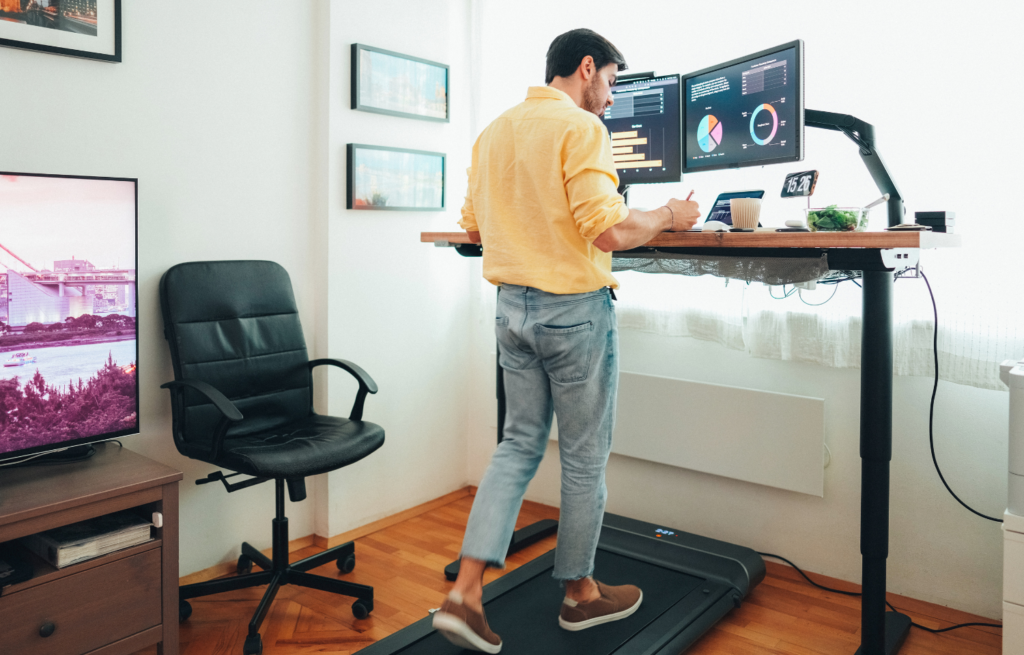
In the era of remote work, having a comfortable and efficient workspace is more important than ever. An adjustable standing desk can be a game-changer for your productivity and health. Let’s dive into how you can set up a pain-free workspace that keeps you energized and focused throughout the day.
Picture this: You’re in the middle of a busy workday, your back starts to ache, and your energy levels plummet. This scenario is all too familiar for many remote workers. The good news? An adjustable standing desk can transform your home workspace into a more dynamic and health-conscious environment.
Standing desks are designed to allow you to switch between sitting and standing positions with ease. This flexibility is crucial because it helps you avoid the health pitfalls of prolonged sitting, such as back pain and poor circulation. By incorporating a standing desk into your setup, you can create a workspace that supports your physical well-being and keeps you productive.

Why should you consider investing in an adjustable standing desk? The benefits are numerous and backed by research. Firstly, standing desks can help reduce the risk of chronic diseases associated with sitting for long periods. According to a study published in the “American Journal of Preventive Medicine,” prolonged sitting is linked to increased risks of heart disease, diabetes, and even certain types of cancer.
Additionally, standing desks can boost your energy levels and improve focus. When you stand, your body engages more muscles, which can lead to increased blood flow and oxygen to your brain. This results in heightened alertness and concentration, allowing you to tackle your tasks with greater efficiency.
Selecting the perfect standing desk involves considering several factors. First, assess your available space. Measure the area where you plan to place the desk to ensure it fits comfortably without crowding your room.
Next, think about the height adjustability. The desk should accommodate your height when standing and sitting. A good rule of thumb is that your elbows should be at a 90-degree angle when typing, and your computer screen should be at eye level to prevent neck strain.
Finally, consider the desk’s design and features. Some desks come with additional features like cable management systems, built-in charging ports, or even memory presets for different height settings. Choose a desk that aligns with your work habits and enhances your overall workflow.
While a standing desk is a fantastic addition to your workspace, it’s important not to overlook the significance of a quality ergonomic chair. After all, you’ll likely spend a good portion of your day sitting as well. An ergonomic chair provides the necessary support to maintain proper posture and prevent discomfort. For more insights on creating an ergonomic desk setup, check out this guide on protecting your back.
Look for a chair with adjustable features, such as seat height, lumbar support, and armrests. These adjustments allow you to customize the chair to your body’s unique needs, promoting better posture and reducing the risk of musculoskeletal issues.
Remember, the key to a pain-free workspace is balance. By combining a standing desk with an ergonomic chair, you can create a setup that supports your health and productivity.
Once you have your adjustable standing desk and ergonomic chair, it’s time to focus on the overall setup of your workspace. A well-organized and ergonomically sound desk arrangement can make a world of difference in your comfort and efficiency.
Start by adjusting your desk to the appropriate height. When standing, your desk should be at a level where your forearms are parallel to the floor while typing. Your monitor should be at eye level, with the top of the screen slightly below eye height. This setup helps prevent neck and shoulder strain.
When sitting, ensure your chair is at a height where your feet rest flat on the floor, and your knees are at a 90-degree angle. Your monitor should still be at eye level, maintaining the same ergonomic principles.
Maintaining good posture and incorporating movement into your daily routine are essential components of a healthy and productive workspace. Many of us tend to overlook these aspects, but they can significantly impact our well-being and work performance.
Good posture not only prevents discomfort but also boosts confidence and energy levels. When you sit or stand with proper alignment, you allow your body to function more efficiently, reducing strain on your muscles and joints. Let’s explore some practical tips to help you maintain good posture and encourage regular movement.
When sitting, start by positioning your chair so that your feet rest flat on the floor. Your knees should be at a 90-degree angle, and your hips should be slightly higher than your knees. Use the chair’s lumbar support to maintain the natural curve of your lower back.
Your elbows should be close to your body, forming a 90-degree angle when typing. Keep your wrists straight and aligned with your forearms. Adjust your monitor so that the top of the screen is at or slightly below eye level. This setup helps prevent slouching and reduces the risk of neck strain. For more detailed guidance, you can explore how to create an ergonomic desk setup.
Staying in one position for too long, whether sitting or standing, can lead to fatigue and discomfort. Therefore, it’s crucial to incorporate regular movement into your workday. Aim to change your position every 30 to 60 minutes to keep your muscles engaged and your circulation flowing.
For instance, a study published in the “Journal of Physical Activity and Health” found that short, frequent breaks to stand or walk can reduce fatigue and improve mood.
Consider setting a timer to remind yourself to stand, stretch, or walk around. Even a brief walk to the kitchen or a quick stretch can make a significant difference in how you feel and perform throughout the day.
Stretch breaks are an excellent way to relieve tension and improve flexibility. Incorporate simple stretches into your routine, such as neck rolls, shoulder shrugs, and wrist stretches. These exercises can help alleviate muscle tightness and improve your range of motion.
To make stretch breaks a habit, try integrating them into your daily schedule. For example, take a stretch break every hour or after completing a task. Consistency is key, and over time, you’ll notice the positive impact on your comfort and productivity.
Creating a comfortable and organized workspace goes beyond just the desk and chair. It’s about optimizing your entire environment to support your work habits and well-being.
A cluttered desk can lead to distractions and stress. To enhance your focus and efficiency, keep your workspace tidy and organized. Use trays, organizers, or shelves to store office supplies and documents. Ensure that frequently used items are within easy reach to minimize unnecessary movements.
Regularly declutter your desk to maintain a clean and inviting workspace. An organized desk not only boosts productivity but also creates a sense of calm and control over your environment.
The temperature and air quality of your workspace can significantly affect your comfort and productivity. Ensure that your workspace is well-ventilated and at a comfortable temperature. Fresh air can invigorate your mind and improve concentration.
If possible, position your desk near a window to take advantage of natural light and fresh air. If natural ventilation isn’t an option, consider using a fan or air purifier to improve air circulation and quality.
Noise can be a major distraction in a home workspace. To create a more productive atmosphere, consider using noise-cancelling headphones or playing ambient music to drown out background noise.
Establishing a designated workspace can also help minimize distractions. Communicate with family members or roommates about your work schedule to reduce interruptions. A focused and quiet environment can enhance your ability to concentrate and complete tasks efficiently.
Creating a pain-free workspace with an adjustable standing desk is not just about comfort—it’s about enhancing your overall well-being and productivity. By integrating a standing desk into your remote work setup, you open the door to numerous health benefits, including reduced back pain, improved circulation, and increased energy levels. It’s a proactive step towards a healthier lifestyle, allowing you to work more efficiently and comfortably.
Remember, the key to a successful workspace is balance. Combine the use of an adjustable standing desk with an ergonomic chair to provide the flexibility your body needs. Pay attention to your posture, and make regular movement a part of your routine. These changes might seem small, but they can have a significant impact on your work experience and overall health.
